Figma Weave, studied properly: campaign variants from your own frame, on a separate bill
A Figma frame can now feed a Weave AI workflow with its fonts and layout intact. What that buys a small brand, and the second bill that comes with it.

Most tools in this series start from a prompt. This one starts from a design you have already finished. Since Thursday, a frame from Figma Design can sit inside a Figma Weave workflow and steer the AI steps, with its fonts and layout held in place. A five-minute read.
📐 The Study: Figma Weave
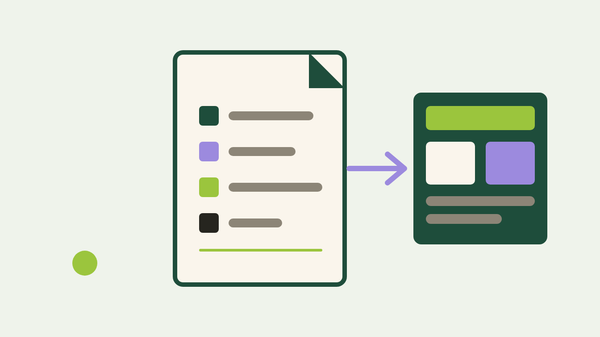
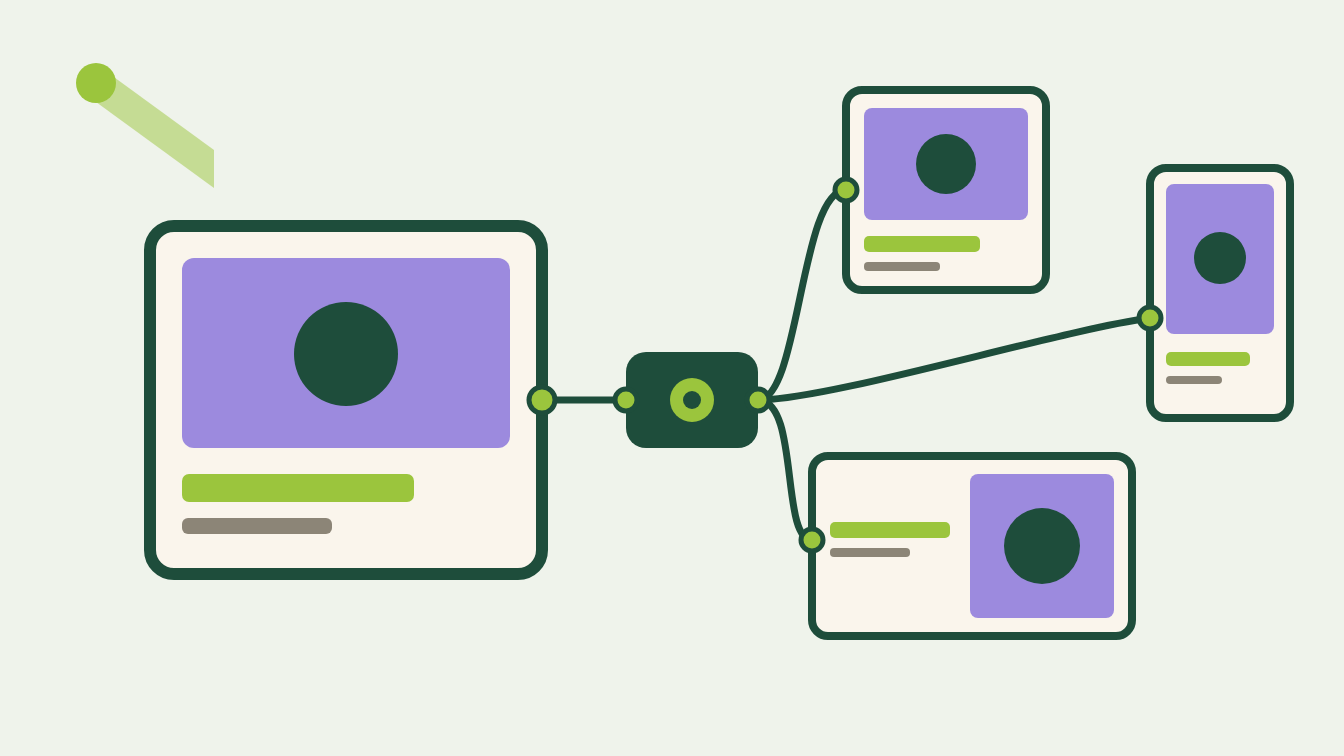
What it actually is. Figma Weave is the node-based canvas Figma bought in October 2025, when it was Weavy, a Tel Aviv startup. Dylan Field's announcement describes "the world's leading AI models together with professional editing tools on a single, browser-based canvas." Each box on that canvas is a model or an edit step, and you wire the boxes into a pipeline you can run again. Two releases this week pull it closer to Figma itself. On September 17 Figma shipped the Figma node: "Copy a frame from Figma Design, paste it into Figma Weave, and it becomes a node in your workflow." You then "select the text and image layers you want to use as workflow inputs, while keeping the original fonts, layout, and styling intact." A day earlier, Weave tools, small apps built from those workflows, became publishable to the Figma Community, with a catch in the same note: "only image and vector generation Weave tools will be available to use in Figma Design."
Where it fits in a real workflow. Picture a two-person tea brand with one launch banner, finished in Figma, that has to go out in English, Japanese and Thai. Until this week the frame could only enter Weave as an exported picture, and any lettering on it was at the model's mercy. Type is still not an image model's job, as our Midjourney V8.2 study found. With the Figma node, the headline stays a text layer and the product shot stays an image layer. In Figma's own worked example, a brand layout "connects to a CSV of translated copy and generates a localized version for every region." The model works on the photograph; your file sets the letters.
Where it falls short. Four limits, the first two about money.
Two products, two bills. Weave's pricing page is plain about it: "Figma and Figma Weave operate as separate products with independent credit systems," and a paid Figma plan does not include Weave. Weave tools that run inside Figma Design are free during the open beta, and Figma's roundup of the first community tools says they "will consume Figma AI credits once generally available." Budget both meters before you quote a client.
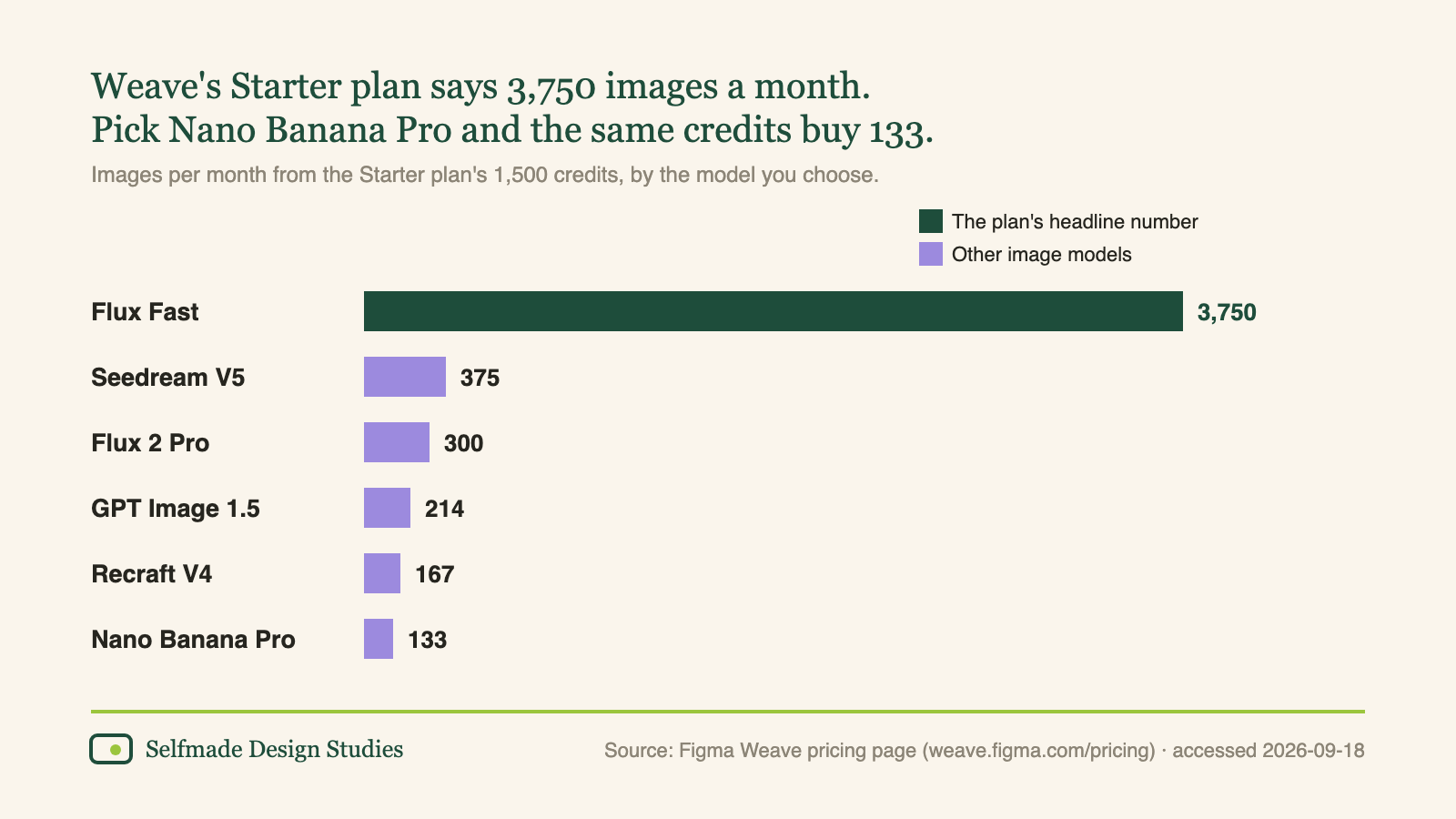
The headline number is the cheapest model. Starter costs $24 a month for 1,500 credits, which the page rounds to "3,750 images." That figure assumes Flux Fast. The same table gives 167 images from Recraft V4 and 133 from Nano Banana Pro.
The models keep their flaws. Vlad Solomakha, reviewing Weave in June for Banani, which makes its own AI design tool, found that "multi-reference blending often picks one dominant input" and "image sharpness degrades after multi-image edits." His wordmark test "generated the wrong output; instead of writing Interry, it edited my Pinterest wordmark in Tinder's gradient." He also noted you "cannot embed live Figma frames directly into a Weave pipeline." The Figma node closes that gap. It does not change what happens inside the models.
The sync promise changed its wording. The June preview said edits to the frame "will reflect in real time across your Weave workflow." The launch note describes a step instead: "Bring changes from the original Figma design into Weave to keep every connected asset up to date." Before you promise a client that a headline fix reaches every market, change one word and watch what re-runs, and what it spends.
Who should care. Brand builders shipping one campaign in several sizes and languages: this is the first version of the idea that keeps your type as type. Build one workflow on the Free plan (150 credits, five workflows) before paying. Product designers on paid Figma plans can run tools like Jan Gericke's Image Reframer, which will "reframe an image to any aspect ratio, to make clean space for text overlays," inside Figma Design while the beta is free. Non-designer founders: the node only protects what your frame already has. With no settled palette or type pairing yet, start there; you can build your own kit without any AI. Studios on client work: the pricing page says "most models" on Weave are cleared for commercial use. Check the model's terms before the file ships.
🗞️ The Digest
- CorelDRAW turns prompts into vectors, free until September 22. Corel's September 15 update adds Text-to-vector AI: "Turn text prompts or existing artwork into editable, scalable, and high-quality vector graphics with generative AI." Until 3:00 pm EDT on September 22, "all generations using Vector Craft and Vector Master models are free." Editable is the claim to test: open the output and look at the paths before it goes near a logo.
- Midjourney's alpha site learns Korean. The September 16 changelog adds Korean, fixes the V8.2 editor so the prompt bar asks "What would you like to change?" when you attach an image, and makes a first pass at phones and tablets, though Midjourney still recommends the main site on mobile. Default parameters are next on its list.
- Krea lets a team cap each person's spend. Since September 16, Organizations "are no longer sales-gated," and admins can set member usage limits that "cap how much compute each person spends per calendar month." If three people share one credit pool, set it before the month starts.
- Adobe's own generator joins the Premiere timeline. The same day Runway's panel arrived, as we noted in last week's issue, Adobe's September 8 post introduced a Generative Media Tool that fills gaps in a timeline "using reference frames sampled from their project," with a choice of Firefly or "partner models including Google Veo, Kling, Runway and Luma."
Seventh study in the series; our first, on Figma Make, hit a credit meter too. Pasted a real frame into Weave yet? Reply and tell us which layers you unlocked, and which model you trusted with them.
Forwarded this by a friend? Subscribe here. Found it useful? Forward it to one person who'd want it.
— The Editorial Team